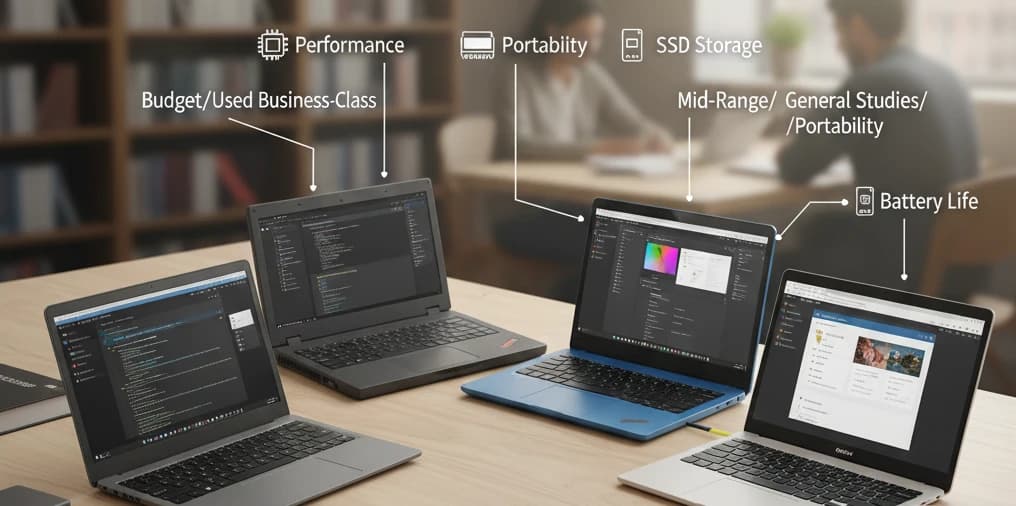

A laptop has become one of the most important tools for students in Pakistan. Whether you’re attending online classes, programming, editing videos, preparing assignments, or studying engineering, a reliable laptop helps you stay productive. But with so many choices, selecting the right one can feel overwhelming.
This guide breaks down everything you need to know before buying a student laptop in Pakistan. It explains which specifications matter, how to match a laptop to your field of study, and which models provide the best value. You can explore student‑friendly laptop deals directly on Adscarry.com.
Understanding Your Needs
Students often make the mistake of buying a laptop based on brand hype or looks. Instead, think about your actual usage.
Ask yourself:
Will I use heavy software like MATLAB, SolidWorks, Adobe, or SPSS?
Do I need long battery life for commuting or campus?
Do I prefer a lightweight device for carrying all day?
Do I need a dedicated graphics card?
What is my storage requirement?
Your answers will help narrow options immediately.
Key Features Every Student Should Compare
Here’s what matters most when choosing a laptop.
1. Processor (CPU)
The processor is the heart of your laptop. Choose based on your field:
For basic use: Intel Core i3 / Ryzen 3
For programming: Intel Core i5 / Ryzen 5
For engineering & design: Intel Core i5 / i7 or Ryzen 5 / 7
Avoid older generations if possible, especially pre‑10th gen Intel.
2. RAM
RAM controls how many tasks your laptop can handle at once.
Minimum for students: 8GB
For editing, design, 3D work: 16GB
Always check if the RAM is upgradeable.
3. Storage (SSD vs HDD)
SSD storage is much faster than HDD.
Best choice: 256GB or 512GB SSD
If budget is tight: 128GB SSD + external drive
Avoid HDD‑only laptops unless absolutely necessary.
4. Display Size and Quality
Choose based on comfort and field:
14 inches: portable, light, ideal for most students
15.6 inches: better for design, editing, and coding
Check for IPS panels for better colors.
5. Battery Life
Students move between classes and cafes all day. Look for:
6–8 hours minimum
10+ hours if you travel often
6. Weight and Build Quality
Ultrabooks are light and easy to carry but may cost more. If you carry your laptop daily, weight becomes a real factor.
Field‑Wise Laptop Recommendations
Different subjects require different hardware needs.
For Computer Science & Programming Students
You’ll run IDEs, compilers, and sometimes virtual machines. Recommended:
Intel Core i5 / Ryzen 5
8GB or 16GB RAM
SSD storage
Long battery
For Engineering Students (Electrical, Mechanical, Civil)
You’ll use heavy software like AutoCAD, SolidWorks, MATLAB.
Intel Core i5/i7 or Ryzen 5/7
16GB RAM
Dedicated graphics card preferred
512GB SSD
For Graphic Design & Media Students
Creative fields need color accuracy and performance.
IPS display (preferred large screen)
Dedicated GPU (NVIDIA recommended)
16GB RAM
Strong processor
For Business, Accounting & Social Science Students
Your work mostly includes browsing, typing, Zoom classes, and spreadsheets.
Intel Core i3 or i5
8GB RAM
256GB SSD
Lightweight body
Best Laptop Categories for Students
1. Budget Laptops (Affordable & Reliable)
Ideal for school students and basic use.
8GB RAM
SSD storage
Lightweight
2. Mid‑Range Laptops
Perfect for university students.
Solid performance
Comfortable keyboard
Balanced features
3. Laptops for Designers & Engineers
Built for heavy workloads.
Powerful processor
Dedicated GPU
Larger display
4. Ultra‑Portable Laptops
Best for frequent travelers.
Thin and light
Long battery
Fast boot time
Tips to Get the Most Out of Your Laptop
Keep your operating system updated.
Use cloud storage or external drives.
Clean vents regularly to avoid overheating.
Invest in a cooling pad if you use heavy software.
Avoid using your laptop while charging to extend battery health.
Common Mistakes Students Should Avoid
Buying a laptop with HDD‑only storage.
Choosing 4GB RAM models in 2025.
Ignoring build quality to save money.
Choosing a gaming laptop if portability is important.
Buying without checking upgrade options.
Frequently Asked Questions
Q: Should students buy a laptop or tablet?
A laptop is better for assignments, coding, and multitasking. Tablets are good for reading and note‑taking.
Q: Is 8GB RAM enough for university students?
Yes for most fields, but engineering and design students need 16GB.
Q: Which is better: Windows or Mac?
Windows is more affordable and flexible. Macs are reliable for design but expensive.
Conclusion
The right laptop depends on your field, usage, and mobility needs. Focus on specs that matter: processor, SSD storage, RAM, and build quality. A well‑chosen laptop can last years and support your entire academic journey. You can browse student laptop deals and compare models on Adscarry.com to find one that fits your needs and budget.

Leave a Comment
Your comment will be posted after review.